
Build your customer analysis workflows with AI

A studio to structure your operational intelligence
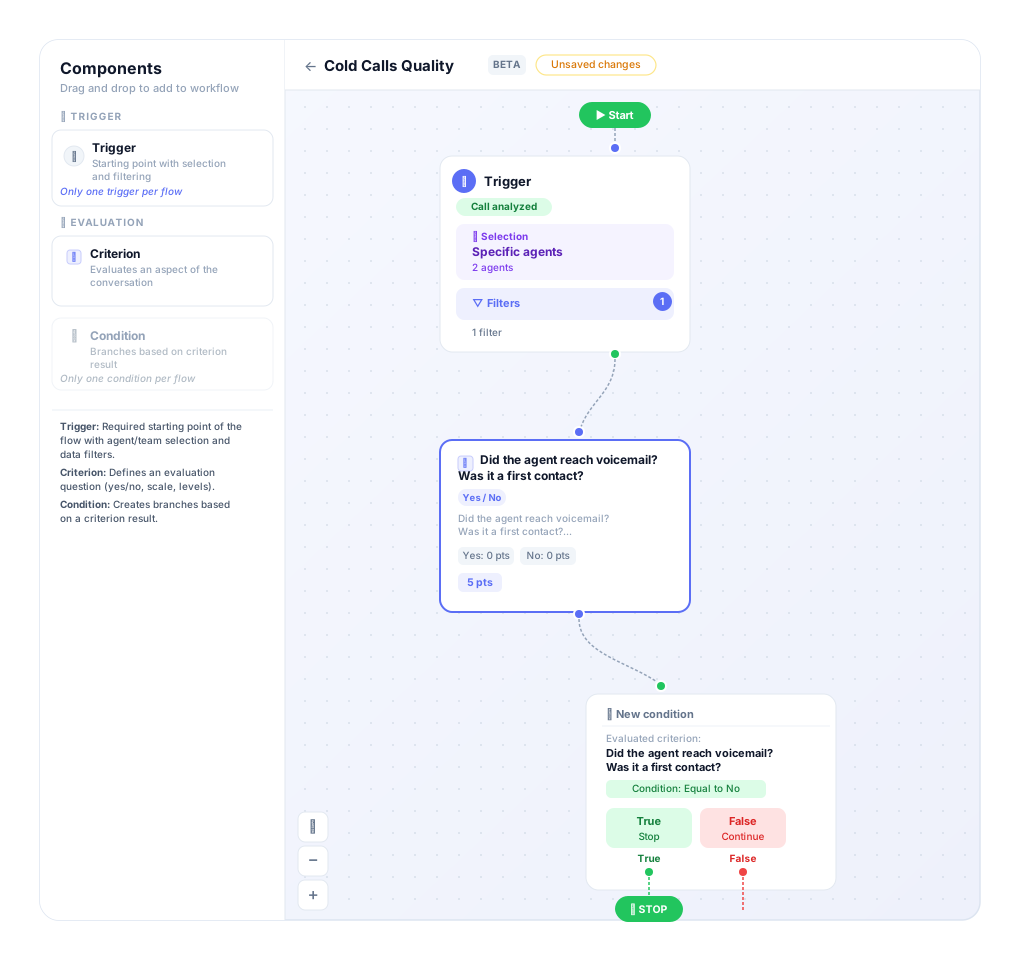
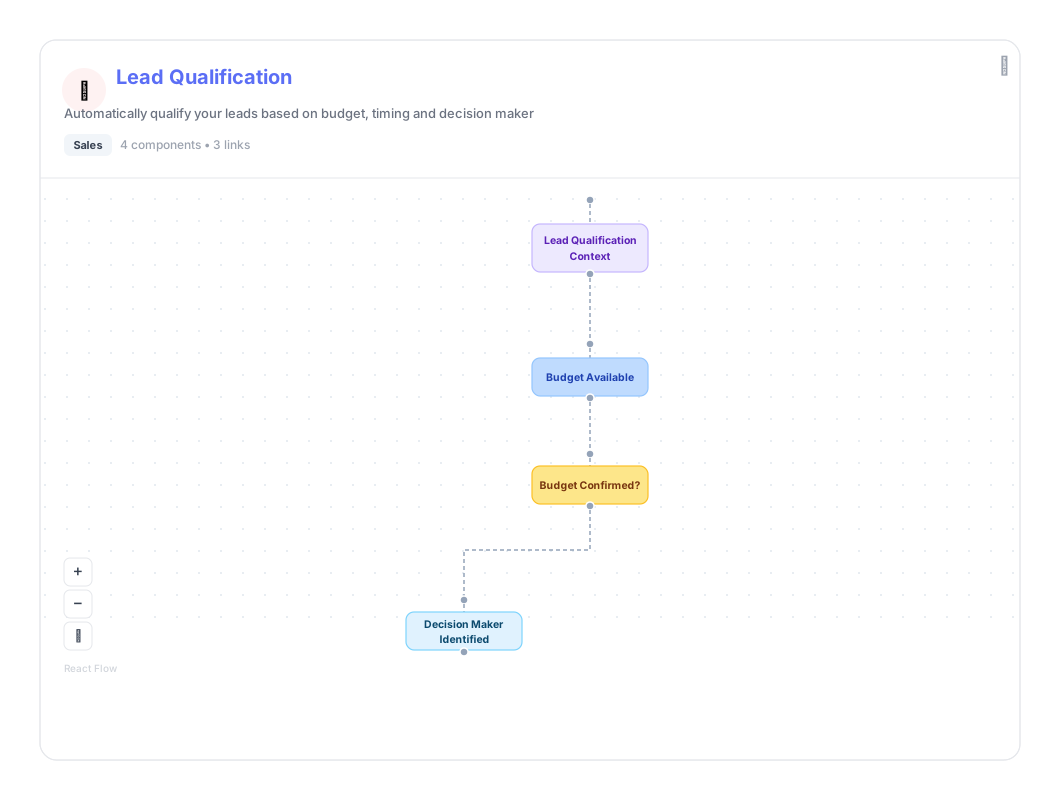
Build your analysis flows
Automatically analyze conversations, detect product bugs or pain points, identify actionable interactions, and categorize them — all without manual picking.
Analyze 100% of your interactions
Traditional methods rely on manual sampling — the majority of interactions are never analyzed. Gravite analyzes 100% of your calls, tickets, chats, or emails for a complete view of quality.
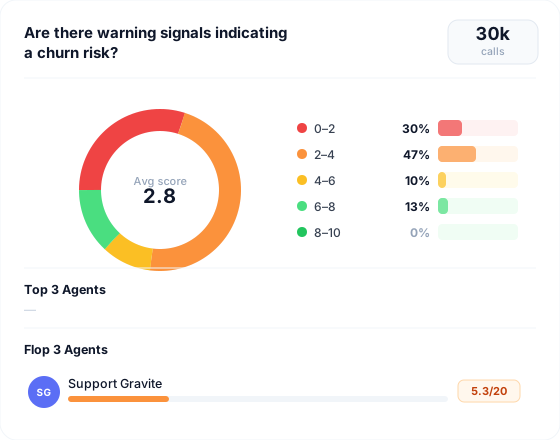
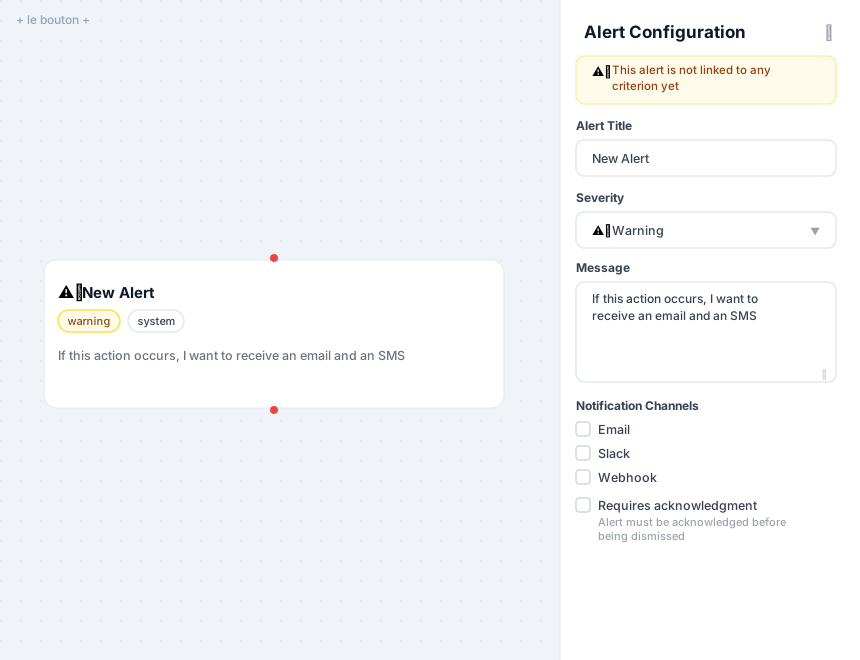
Activate AI at every step
Conversation analysis, event detection, automatic qualification, summarization, and alert generation. AI works continuously to surface the important signals in your customer interactions.

It helped us take a step back and analyse all the feedback we receive without all the bias we all naturally have. A true game changer!
How does it work?


Step 1
Connect your sources
Import your calls, tickets, chats, or emails from your existing tools — CRM, helpdesk, telephony and more.
Step 2
Build your grid
Assemble analysis blocks to structure your flows according to your needs. Each step is fully configurable.
Steps 3 & 4
Analyze and take action
Gravite processes your interactions automatically. Insights are sent to the relevant teams to continuously improve operations.
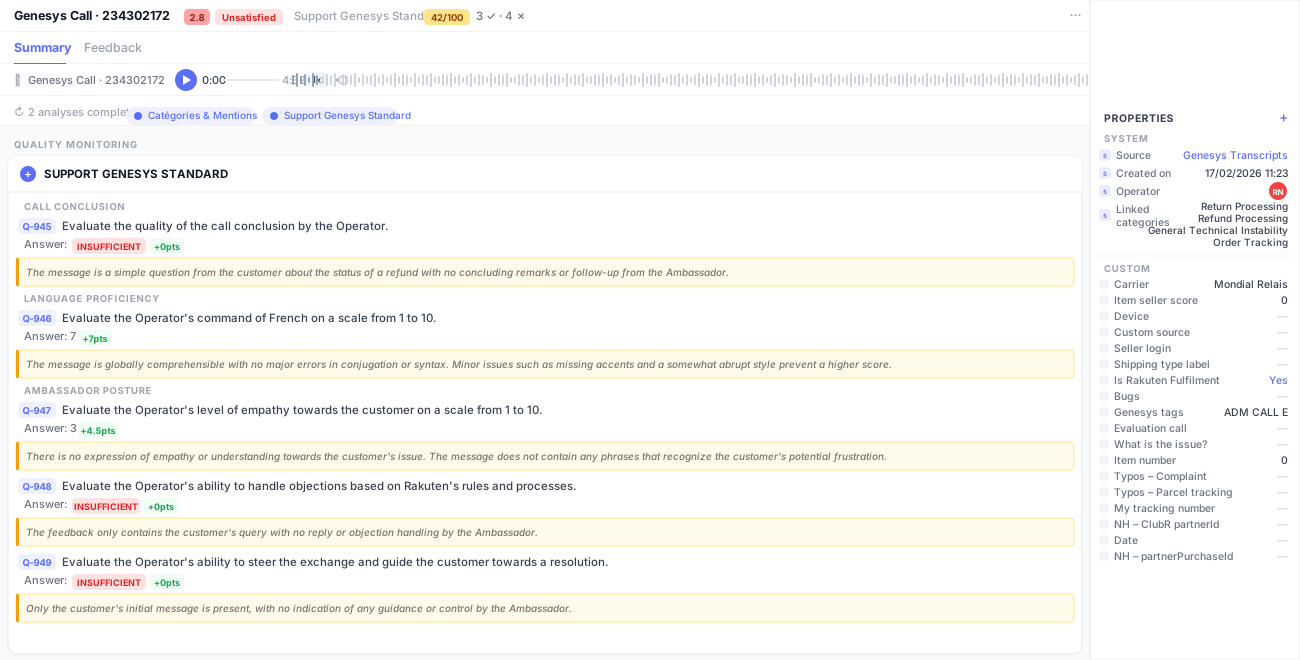
What customer service teams do with Grid Studio
Automatically detect customer-reported bugs
Identify product bugs and technical issues directly from customer conversations in real time. Issues are flagged automatically as they appear — no more waiting for reports to pile up.

Filter out non-actionable interactions
Automatically detect and exclude unproductive interactions — wrong numbers, silent calls, off-topic conversations — so your teams focus only on what truly matters.

Prioritize the most frequent pain points
Surface the top recurring problems customers mention across all channels. Know which issues to address first based on real frequency data, not assumptions.

Improve agent quality at scale
Monitor and score 100% of interactions instead of random samples. Identify coaching opportunities and track individual performance improvements over time.
Detect churn risk signals early
Spot frustration, dissatisfaction, and churn intent in conversations before it’s too late. Automatically alert the right team to act before the customer leaves.

Automate your Quality Monitoring
Replace manual call listening with automated analysis flows. Define your criteria once — Grid Studio applies them consistently to every single interaction.

Feed product teams with customer insights
Turn support data into structured product feedback. Automatically surface recurring requests, feature gaps, and pain points directly to your product team.

Segment interactions by topic, intent, or sentiment
Categorize conversations automatically. Filter and compare segments to understand what drives customer contacts and where issues tend to concentrate.

Track satisfaction trends over time
Monitor satisfaction signals across all interactions and correlate drops with specific events, agents, or product changes — so you can act at the source.

Generate automated summaries and real-time alerts
Create instant interaction summaries and automatically notify relevant teams when critical events occur — no manual review required.


Gravite has become an essential internal tool for analyzing user feedback. We centralize all the data, providing precise and unbiased analysis with AI, allowing us to make decisions easily.


Book your personalized demo
See how Gravite transforms your quality management in real time.

Frequently asked questions
What is Gravite and how does it improve quality monitoring?
Gravite is an AI-powered real-time Quality Monitoring platform designed for customer service and call center teams.
Unlike traditional quality assurance tools based on manual sampling, Gravite analyzes 100% of customer interactions — calls, emails, chats, tickets — to provide continuous and objective Quality Monitoring.
With Gravite, organizations move from reactive audits to real-time performance monitoring at scale.How does Gravite’s AI quality monitoring work?
Gravite uses advanced AI to:
- Analyze every interaction automatically
- Evaluate performance based on predefined quality criteria
- Detect weaknesses, risks, and improvement opportunities
This ensures:
- Bias-free quality monitoring
- Consistent evaluation standards
- Real-time insights into agent and team performance
Gravite transforms quality monitoring into a strategic performance driver.Does Gravite analyze 100% of interactions?
Yes.
Traditional Quality Monitoring tools review only a small percentage of interactions. Gravite provides full interaction coverage, eliminating blind spots and sampling bias.
This allows:
- Accurate performance measurement
- Early detection of quality issues
- Reliable trend analysis
With Gravite, Quality Monitoring becomes comprehensive and data-driven.How is Gravite different from traditional Quality Monitoring tools?
Traditional Quality Monitoring:
- Relies on manual reviews
- Uses limited sampling
- Provides delayed feedback
Gravite:
- Uses AI-powered real-time quality monitoring
- Analyzes 100% of customer interactions
- Detects issues instantly
- Enables proactive management
Gravite replaces static audits with continuous quality intelligence.Can Gravite integrate with our existing tools?
Yes.
Gravite offers 30+ connectors and integrates seamlessly with:
- CRM systems
- Contact center platforms
- Ticketing systems
- Voice and chat solutions
This makes it easy to centralize all customer conversations into one AI-powered Quality Monitoring platform.Is Gravite compliant with GDPR and data security standards?
Yes.
Gravite ensures:
- Servers hosted in France
- Data encryption in transit and at rest
- GDPR compliance
- Pre-processing anonymization before AI analysis
Our Quality Monitoring platform is trusted by highly regulated industries such as banking and insurance.How does real-time alerting work in Gravite?
Gravite’s real-time Quality Monitoring includes proactive alerting.
The platform automatically detects:
- Quality deviations
- Compliance risks
- Spikes in customer frustration
- Performance drops
Managers receive targeted alerts only when action is required, turning Quality Monitoring into immediate operational impact.Can we customize quality criteria in Gravite?
Absolutely.
Gravite adapts to your Quality Monitoring framework.
You can define:
- Custom evaluation grids
- Compliance standards
- Performance metrics
- Coaching priorities
This ensures that Quality Monitoring aligns with your operational goals.What ROI can we expect from Gravite Quality Monitoring?
Organizations using Gravite typically see:
- Reduced manual QA workload
- Faster issue resolution
- Improved CSAT and NPS
- More effective coaching
- Better agent performance visibility
Gravite turns Quality Monitoring into measurable business value.Is Gravite a surveillance tool?
No.
Gravite is a performance improvement and Quality Monitoring platform, not a surveillance system.
Its purpose is to:
- Provide objective insights
- Identify strengths and weaknesses
- Support data-driven coaching
- Elevate overall service quality
Gravite empowers managers and agents with actionable intelligence.